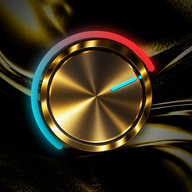
MasterTrack
Mastering for your finished mixes. Turn up DRIVE, add GLUE and HARMONICS to taste, set WIDTH, then bring OUTPUT to the loudness you want.
once, for up to 3 computers.

The controls
Every control on the panel, in plain words. The names are the ones printed on MasterTrack.
Shape the sound
- DRIVE
- Adds analog-style density, warmth and saturation while keeping the punch of the low end. It's the big knob in the middle.
- GLUE
- Adaptive mastering compression that pulls the mix together. Hover over it or drag it to see the gain reduction.
- HARMONICS
- Adds harmonic detail and presence while keeping the top end smooth.
- WIDTH
- Widens or narrows the stereo image and keeps the low end mono-compatible. A light center detent marks the natural width.
- OUTPUT
- Sets the final level and drives the finishing stage. A light center detent marks 0 dB.
- CLEAN UP
- Removes extreme low and high energy the master doesn't need. On by default.
- SHINE
- Broad tonal polish for a finished mastering curve. On by default.
- HQ MODE
- Runs the saturation and finishing stages at four times the sample rate for higher quality. It uses more CPU.
Pick a character
PRIME is the polished mastering sound. PRESSURE is denser and more aggressive, and the panel changes to a worn hardware look to match. A and B snapshots remember which one you used.

Listen honestly
- MASTER ORIGINAL
- The COMPARE button switches between MASTER, in gold, and ORIGINAL, in red: your untouched mix, lined up in time and matched in level, so you're comparing sound and not volume.
- DELTA
- Hold it to hear only the difference MasterTrack makes.
- STEREO MONO
- Press STEREO and it turns to MONO, so you can check mono compatibility without changing your width setting.
- A B
- Two snapshots of your settings, including PRIME or PRESSURE, to switch between.
Hit your loudness
- AUTO
- Slowly corrects OUTPUT toward the integrated loudness you choose: −16, −14, −12, −11, −10, −9, −8 or −6 LUFS. Moving OUTPUT yourself hands control back to you, and heavy limiting can stop AUTO from going louder.
- Meters
- Momentary, short-term and integrated LUFS. True peak for left and right, with peak hold. Limiter and GLUE gain reduction. A stereo field display with correlation, and a waveform with the left channel above the line and the right below.
Start from a preset
Twelve starting points to adjust by ear. Loudness depends on your mix, so finish with the LUFS and true-peak meters. Presets leave HQ MODE and AUTO as they are.
- Init / Neutral
- Transparent Master
- Streaming Balanced
- Warm & Dense
- Punch & Impact
- Wide & Open
- Bright & Polished
- Vocal Forward
- Loud & Clean
- Modern Hip-Hop
- Analog Weight
- Pressure Punch
On iPhone and iPad
The same controls and meters, laid out for the screen in your hand. Use MasterTrack as an AUv3 in your music apps, or on its own in the MasterTrack app.


Formats and requirements
| Version | Formats | Runs on | Needs |
|---|---|---|---|
| Mac | VST3, AU, VST2, and a standalone app with the AUv3 inside | Intel and Apple silicon Macs | macOS 10.13 or later |
| Windows | VST3, VST2 and a standalone app | Intel, AMD and Arm PCs | Windows 10 or 11, 64-bit |
| iPhone and iPad | AUv3 and a standalone app | iPhone and iPad | iOS or iPadOS 15 or later |
| MPC | MPC plugin with its own screen and Q-Links | MPC standalone hardware | MPC OS 3.10.1 or later, with VST2 support turned on |
- There's no AAX version, so MasterTrack doesn't run in Pro Tools.
- In MPC Software, use the VST2 version for projects you'll open on an MPC. Projects saved with the VST3 or AU version don't open MasterTrack on the MPC.
Try it free for 10 days
The trial has every feature. You need a free AudioMSTR account to start it.
iPhone and iPad: coming to the App Store. MPC: included when you buy.
- Download and run the installer for your computer.
- Open MasterTrack in your DAW, or open the MasterTrack app.
- Choose Start trial, then sign in or create your free account.
- Buy whenever you're ready. MasterTrack switches from the trial to your license on its own.
Buy once, use it on 3 computers
- A lifetime license, not a subscription.
- Activate it on up to 3 computers, Mac or Windows in any mix.
- MasterTrack for MPC is included.
- Once activated, it works offline.
- New computer? Remove the old one in your account and activate the new one.
One price for your computers and your MPC.
The iPhone and iPad version is a separate purchase on the App Store. See the license agreement and refund policy.
Questions
Does MasterTrack work in Pro Tools?
No. There's no AAX version, so it doesn't run in Pro Tools.
Can I use it on more than one computer?
Yes, on up to 3 computers at a time, Mac or Windows in any mix. To move to a new computer, remove an old one in your account.
Is the iPhone and iPad version included?
No. It's a separate purchase on the App Store.
Do I need to be online?
Only to activate. After that, MasterTrack works offline and checks in now and then when you're connected. A computer that never goes online can use offline activation instead.